
Seamailer vs. Mailchimp vs. ConvertKit: Which One Is Right for You?
If you’ve ever spent an afternoon staring at a pricing page and wondering, “Which tool will actually save me time and money?” - welcome to my club. I’ve danced with a few email platforms over the years, paid for features I didn’t need, and moved platforms more than I’d like to admit. Each time I switched, I learned something new about what actually matters: deliverability, automation, pricing at scale, and how fast you can get things done.
In this post, I’ll compare three popular options - Seamailer, Mailchimp, and ConvertKit - across features, pricing, pros & cons, ease of use, and the ideal user for each platform. I’ll share real examples and a simple framework so you can pick the right one without second-guessing yourself later.
Quick TL;DR (if you’re in a rush)
- Seamailer - Great value, straightforward UI, solid deliverability, ideal for startups, solopreneurs, and SMBs who want power without complexity. (Affordable plans, generous free tier.)
- Mailchimp - Feature-rich all-in-one marketing suite with many integrations; good for small businesses that want multi-channel marketing in one place. Pricing can get expensive as your list grows.
- ConvertKit - Tailored to creators and course sellers: clean UI, creator-friendly automations and workflows, strong deliverability claims. Pricing scales with subscriber count.
Also, email works. For every $1 spent, email marketing typically returns about $36, so picking a tool that helps you execute well is worth the effort.
My story (short): why this comparison matters
A couple of years back, I launched a paid course and chose a platform because “everyone recommended it.” Three months later, I realized I couldn’t easily trigger a personalized onboarding flow based on a purchase, tag, and referral source. I switched platforms, which required a weekend of migration and a bit of embarrassment. That experience taught me to prioritize use cases first, not brand names second.
So let’s walk through what matters when choosing between Seamailer, Mailchimp, and ConvertKit.
What to prioritize before you choose
Before we compare features, decide these things internally:
- Primary goal: newsletters, e-commerce recovery, course onboarding, or lead gen?
- List growth expectations: Will you stay small or explode to 50k subscribers?
- Required automations: simple welcome sequences or multichannel behavioral funnels?
- Budget reality: Are you bootstrapped or backed? (And do monthly fees scale with contacts?)
- Tech stack: Do you need deep Shopify/Shopline/CRM integrations?
Answering the above will make the platform differences obvious rather than fuzzy.
Head-to-head: features & experience
1. Seamailer - the practical multi-use choice
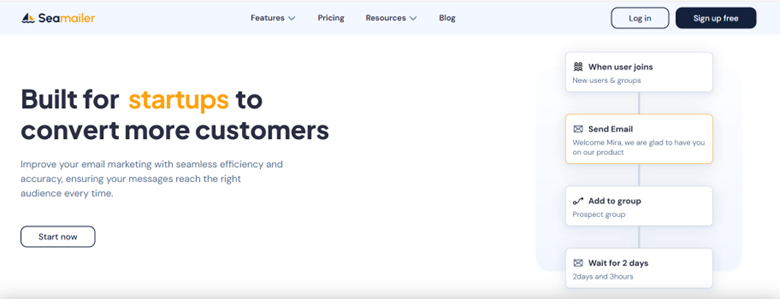
Who it’s for: Startups, small businesses, agencies, and solo founders who want an affordable, capable platform with straightforward automation and strong deliverability.
What I like:
- Clean, no-nonsense UI that gets you sending quickly.
- Focus on essentials - unlimited contacts on paid plans, solid automation, and support. Seamailer’s pricing is designed to be approachable (they advertise a free tier and modest paid plans).
- Built-in analytics and reporting without a cluttered dashboard.
Potential drawbacks:
- Smaller ecosystem of third-party integrations compared to older players (but core needs are covered).
- Some advanced enterprise features you’ll find elsewhere may be missing.
Ideal use case: You run a small online store or a content newsletter and want strong deliverability and easy automation without paying premium prices.
2. Mailchimp - the all-in-one marketing suite
Who it’s for: Small to medium businesses who want email + landing pages + social posting + ad tools under one roof.
What I like:
- Very mature product with tons of integrations and templates. It can act like a lightweight marketing platform beyond email.
- Good for teams that want a visual, guided experience with multi-channel capabilities.
Potential drawbacks:
- Pricing steps up quickly as your subscriber count grows; hidden or add-on costs can surprise you if you don’t watch limits.
- The feature set can overwhelm a solo founder who only wants to send weekly newsletters.
Ideal use case: You’re a small business with multi-channel marketing needs, want everything in one place, and don’t mind paying more as you scale.
3. ConvertKit - built for creators and course-makers
Who it’s for: Creators, bloggers, podcasters, and course authors who want clean automations and creator-focused features.
What I like:
- Simple tagging, subscription forms, and automation builder optimized for creator workflows (launch sequences, digital product funnels).
- ConvertKit emphasizes deliverability and open rates for creators and often touts strong inbox performance and creator-friendly features.
Potential drawbacks:
- Pricing is competitive for small lists, but it can climb with large subscriber counts. Check your numbers if you plan to scale.
- Less of an “all-in-one” marketing suite than Mailchimp; it focuses on email and creator monetization tools.
Ideal use case: You sell digital products, courses, or memberships and need straightforward automations and clean deliverability.
Pricing - the real deciding factor for many
Pricing is where the rubber meets the road. A “cheap” plan today can become a major monthly expense as your list grows.
- Seamailer: Free tier plus low starting paid tiers (examples shown on their pricing page: a modest paid plan around single-digit USD/month ranges), with unlimited contacts on paid plans and discounts for nonprofits. This makes it attractive for rapid testing and for founders mindful of cost.
- Mailchimp: Offers a free plan with limits; Essentials/Standard/Premium tiers scale by contacts and add features; the first paid tiers start relatively low but can increase quickly as contact count rises. Watch out for send limits and add-ons.
- ConvertKit: Has a free starter tier with limits and Creator/Creator Pro tiers that scale with subscriber count; pricing is creator-focused but will scale up for larger lists.
Rule of thumb: calculate monthly cost at your expected growth milestones (1k, 5k, 10k subscribers) to avoid sticker shock later.
Deliverability & reputation
Deliverability is often the least sexy topic, but it’s the most important. A beautiful email is useless if it lands in spam.
- ConvertKit and several modern providers tout very high deliverability rates and above-average opens for creators. Always look for a provider’s published deliverability guidance and practices. (ConvertKit, for example, highlights deliverability performance as a core benefit.)
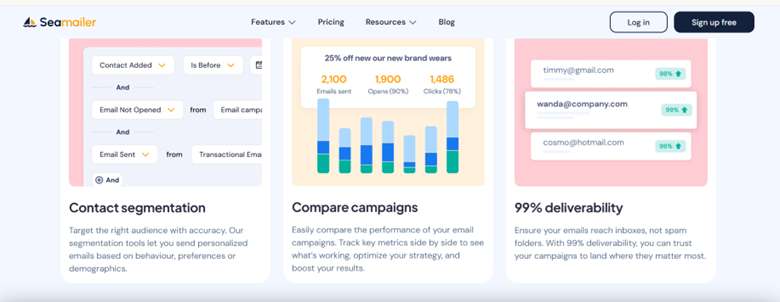
- Seamailer emphasizes deliverability as a core promise on its site; newer platforms often invest heavily in sender reputation tooling.
Beyond provider claims, your deliverability also depends on your sending practices: list hygiene, permission-based signups, consistent sending cadence, and segmenting inactive subscribers.
Automations & segmentation - who wins?
If you only send broadcasts, any platform works. If you want advanced behavior-based flows, here’s how they differ:
- Seamailer - strong automation basics: welcome sequences, tags, segmentation, and API hooks to trigger based on behavior. Simple to set up and maintain.
- Mailchimp - robust automation options, especially when connected with other channels (retargeting, ads), but the UX can sometimes feel dense for newcomers.
- ConvertKit - simple, powerful automation builder tailored for creator flows and tag-based sequencing.
If you’re a seller who needs abandoned cart flows and product recommendations, check how deeply the platform integrates with your e-commerce stack (Shopify, WooCommerce, etc.). Mailchimp historically has many integrations; other tools have stronger native e-commerce features (or deep integrations), depending on the stack.
Templates, editors, and design
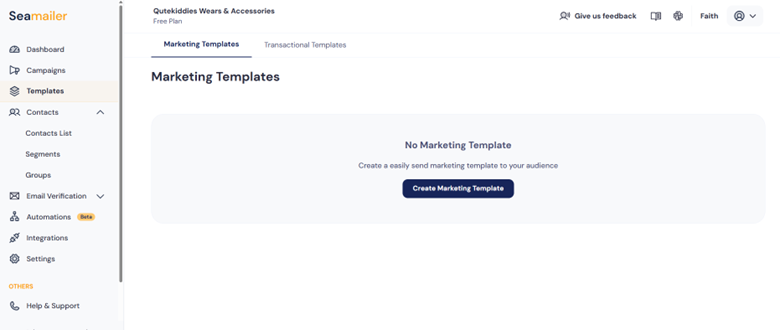
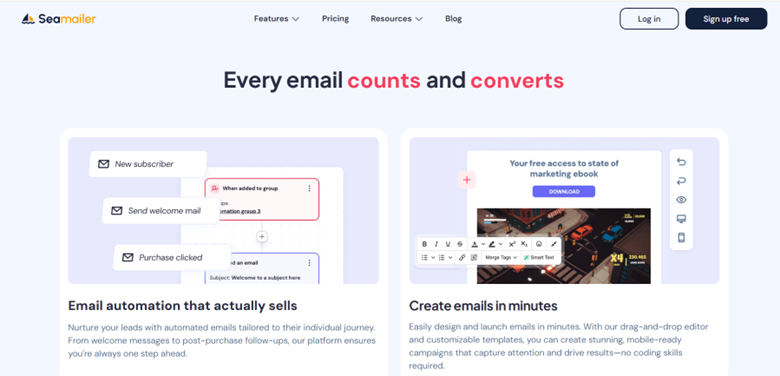
- Seamailer focuses on easy design and templates that let non-designers produce polished emails fast.
- Mailchimp is template-rich and flexible, but the interface can be overwhelming at first.
- ConvertKit prefers minimal, text-forward templates that work well for creators who prioritize content over heavy visual design. If you want super-polished, brand-first emails, check the editor experience in a trial.
Support & community
- Seamailer advertises around-the-clock support and priority options on paid plans - great when you hit a snag.
- Mailchimp has extensive docs and a large community, plus paid-tier support.
- ConvertKit has a strong creator community and knowledge base, but different tiers of support depending on plan.
If you’re not technical, responsive support is worth paying for.
Example scenarios - which tool to pick (real, practical)
- You’re launching a one-person paid newsletter
- Pick: ConvertKit - creator-first workflows, simple automation for paid subscribers, and onboarding.
- You run a small online retail shop and want email + ads + landing pages
- Pick: Mailchimp - integration and multi-channel tools make it easier to run campaigns from one place. But watch pricing as your contact count grows.
- You’re a startup or SMB on a budget that still wants automation and reliable sending
- Pick: Seamailer - strong deliverability, simple UI, and attractive pricing for early-stage growth.
How I pick a winner for a client (quick checklist)
When I advise a founder, I run through this checklist:
- What’s the main business goal for email? (Revenue, leads, retention)
- Will the list size hit 5k+ within 12 months? (If yes, project pricing.)
- Do you need deep e-commerce integrations or just basic purchase triggers?
- How important is deliverability and support response time?
- Run 30-day trials of two finalists and test your actual workflow (publish sign-up, send, automation, and check reporting).
I always err on the side of testing. The fastest way to know whether a tool fits is to try to build the exact automation you need.
Mistakes to avoid
- Choosing purely on brand recognition. (Big names are not always the smoothest fit.)
- Ignoring long-term cost. (Project pricing at realistic growth points.)
- Neglecting deliverability practices. (Tool matters - but your sending habits matter more.)
- Migrating too often. (If you’re switching, do it with a plan and migration checklist.)
Conclusion
Pick the platform that suits your timeline.
If I had to summarize in one sentence, pick the platform that matches your current needs and has a clear upgrade path for the next year. If you’re bootstrapping, choose something affordable and reliable (Seamailer makes a lot of sense). If you’re a creator monetizing courses and subscriptions, ConvertKit’s workflows are comfortable and focused. If you want a single dashboard for email + ads + landing pages and team workflows, Mailchimp remains a strong option - just be prepared for pricing that climbs as you scale.
And remember: email marketing returns are high - businesses often see around $36 for every $1 spent, so an investment in the right tool paired with a solid strategy can pay off very quickly.