What is Email Retargeting & How Does It Help Increase Sales?
If I had to pick one lesson that changed how I think about email marketing, it’s this: people rarely buy on the first touch. They browse. They hesitate. They click away. But they don’t disappear - and that’s where email retargeting becomes the difference between a missed opportunity and a sale.
In plain terms: email retargeting means sending emails to people who have already interacted with your brand but didn’t complete the action you wanted - like abandoning a cart, leaving a product page, or signing up but never activating. It’s like gently following up, reminding them why they considered you in the first place, and nudging them to finish the job.
Over the years, I’ve seen retargeting lift conversions, lower customer acquisition costs, and rescue a huge chunk of revenue that would otherwise vanish. In this post, I’ll explain what email retargeting is, why it works, how to set it up, real-world examples, and how different platforms compare so you can pick the right stack for your business.
Why email retargeting matters (and the psychology behind it)
People rarely decide to buy on impulse - especially higher-value items. They research, compare, and often leave without converting. The good news? Those people have already signaled intent. They’re warm leads.
Psychology and economics explain why retargeting works:
- Recency & familiarity: Someone who just viewed a product is mentally closer to purchase than someone who’s never heard of you. A timely email taps that short-term memory.
- Loss aversion & FOMO: A well-crafted abandoned cart email framed around limited stock or a one-time discount triggers loss aversion - nobody wants to lose out.
- Social proof & reminders: People discount single exposures. A follow-up email showing reviews, testimonials, or product benefits reassures them.
- Convenience: An email with a direct link to the cart removes friction. The easier you make the path back, the higher the conversion.
All this means retargeting captures high-intent users at relatively low cost. It’s not about pestering people - it’s about being useful, timely, and relevant.
Common types of email retargeting campaigns
Not all retargeting emails are created equal. The most effective campaigns are tailored to the exact action the user took.
- Cart abandonment emails
The most classic use case. A customer adds items to their cart and leaves. A sequence of 2–3 emails (reminder → social proof/benefit → discount/urgency) usually works best. - Browse abandonment emails
Someone viewed a product page but didn’t add to cart. These emails highlight the items they looked at, related products, or educational content to remove doubts. - Signup-to-activation drips
New signups who didn’t activate their account or finish setup can be nudged with onboarding tips, quick wins, or incentives. - Pricing-plan or trial-to-paid conversion
Software trials that don’t convert can be retargeted with feature highlights, usage reminders, or limited-time discounts. - Content re-engagement
Users who downloaded a resource but never returned can get follow-ups recommending next steps (webinars, case studies, product demos). - Cross-sell / upsell retargeting
Customers who bought product A can be targeted with complementary product B - often triggered after a certain time delay. - Lapsed-customer reactivation
Customers who haven’t purchased in X months receive special offers, product updates, or personalized recommendations.
Anatomy of a high-converting retargeting email
From subject line to CTA, every element matters:
- Subject line: Specific and benefit-oriented. (“Your cart is waiting - 10% off inside” vs. “We noticed something…”). Keep it short and test variations.
- Personalization: Use the product name, recent behavior, or first name. Specifics build trust.
- Clear reminder of intent: Show the product(s) they left behind with images and short descriptions.
- Social proof: Reviews, ratings, or “bestseller” badges do the heavy lifting.
- Urgency/availability: “Only 3 left” or “Offer expires in 24 hours” can tip indecision.
- One clear CTA: Make the path back frictionless. “Return to your cart” or “Complete signup.”
- Mobile-first design: Most email opens happen on mobile - make it easy to click and buy.
- Follow-up cadence: A common pattern is 1 hour / 24 hours / 72 hours for cart abandonment, but test what works for your audience.
Real-world examples that work
I’m a fan of practical examples. Here are three sequences that I’ve used or tested with clients that produced consistent lifts.
- Abandoned cart sequence for a DTC retailer
- Email 1 (1 hour after abandonment): Reminder with product image + “We saved your cart.”
- Email 2 (24 hours): Social proof + 5% coupon "Just for you."
- Email 3 (72 hours): Urgency - “Your cart will expire; last chance.”
Result: Average recovered revenue ranged from 8 to 15% of abandoned cart value, depending on price point.
- Free trial to paid conversion for SaaS
- Email 1 (3 days into trial): “How are things going?” with setup tips.
- Email 2 (1 day before trial ends): Feature highlight + case study about ROI.
- Email 3 (final day): Special discount to convert early.
Result: Conversion rate lift of 20–40% for trials that received the full sequence.
- Browse abandonment for a travel booking service
- Email: “Still thinking about [destination]?” plus popular itinerary recommendations and a time-limited deal alert message.
Result: Higher click-through-rate for users who had viewed multi-day itineraries vs. single-page visitors.
How to set up email retargeting - a practical step-by-step
- Track the right events
Implement tracking on critical actions: product view, add-to-cart, checkout start, signup, and trial start. Use your email platform + analytics (or your CMS plugins) to capture these signals. - Segment your audience
Create dynamic segments for each retargeting trigger (e.g., “Cart Abandoners - last 48 hours,” “Trial Users - day 7”); dynamic segments keep lists fresh. - Create tailored content
Build separate templates for cart, browse, trial, and reactivation emails. Use product images and personalized recommendations. - Design and cadence
Plan timing (immediate reminder, then 24–72 hour follow-ups). Keep templates mobile-optimized and CTAs clear. - Set up automation workflows
Use your email platform’s automation or flows to trigger emails when events occur. Test the flows with internal emails first. - Measure & iterate
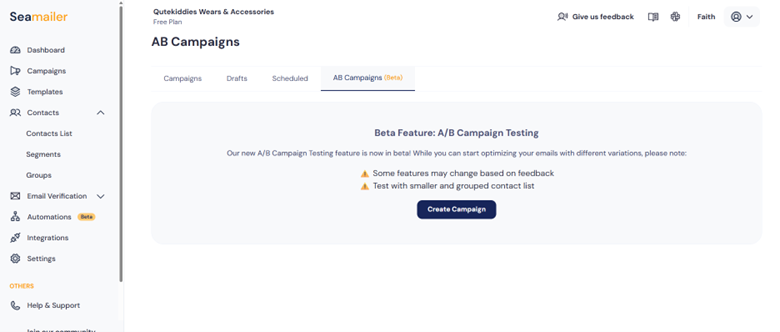
Track open rate, CTR, conversion rate, and recovered revenue. A/B test subject lines, send times, and discount levels. - Clean up and comply
Respect unsubscribes and privacy laws. Keep lapsed or uninterested users in a re-engagement flow or purge them to protect deliverability.
Metrics to track (and why they matter)
- Open Rate: Are people seeing your message? If low, refine subject lines and sender name.
- Click-Through Rate (CTR): Does your content compel clicks? Improve copy and CTAs.
- Conversion Rate: Of those who clicked, how many completed the purchase or action?
- Recovered Revenue: Dollar value returned because of retargeting sequences - the single most important metric for e-commerce.
- Unsubscribe Rate & Complaints: Keep an eye on complaints; if they spike, reassess cadence and relevance.
- Deliverability (Inbox Placement): A high complaint rate or poor list hygiene will tank your recoveries.
Platforms & tools comparison: retargeting features, pricing notes, pros/cons, ideal use cases
Below is a practical comparison of common platforms that support email retargeting. Please keep in mind that exact pricing changes often; you can use these notes as directional guidance and test platforms with free trials.
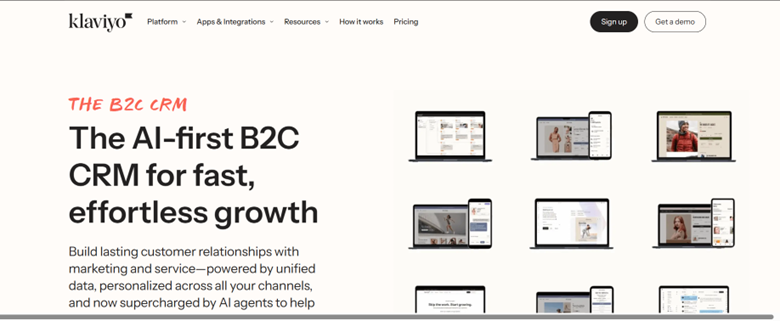
1. Klaviyo
- Strengths: Deep e-commerce focus, strong Shopify integration, sophisticated event-based triggers, excellent product recommendation blocks. Robust analytics for recovered revenue tracking.
- Ease of use: Powerful but with a learning curve for advanced flows.
- Pricing notes: Starts modest for small lists but scales with contacts and data (events can influence cost).
- Pros: Best-in-class e-comm retargeting, strong automation and personalization.
- Cons: Cost can rise quickly for large audiences or heavy event volumes.
- Ideal for: E-commerce brands, subscription-based DTC companies, stores on Shopify.
2. Mailchimp
- Strengths: All-in-one marketing with basic automation flows (cart reminders, browse abandonment), easy templates, and multi-channel features.
- Ease of use: Very approachable for beginners.
- Pricing notes: Free to start; paid tiers add more automation and remove limits. Pricing rises with the number of contacts.
- Pros: Good starter option, broad integrations, simple setup.
- Cons: Automation depth and event-driven personalization aren’t as granular as specialist e-comm platforms.
- Ideal for: Small businesses that want email + landing pages + basic retargeting in one place.
3. ActiveCampaign
- Strengths: Strong automation engine with CRM features; good for lifecycle retargeting and behavioral automation.
- Ease of use: Flexible but requires time to master advanced automations.
- Pricing notes: Tiered pricing with scaling features; better value for those using CRM + automation heavily.
- Pros: Great for B2B, SaaS, and service businesses where lead scoring and multi-step sequences matter.
- Cons: Visual complexity for simple users; may be overkill for basic e-commerce stores.
- Ideal for: SaaS, B2B, and service businesses needing complex nurture streams.
4. Seamailer
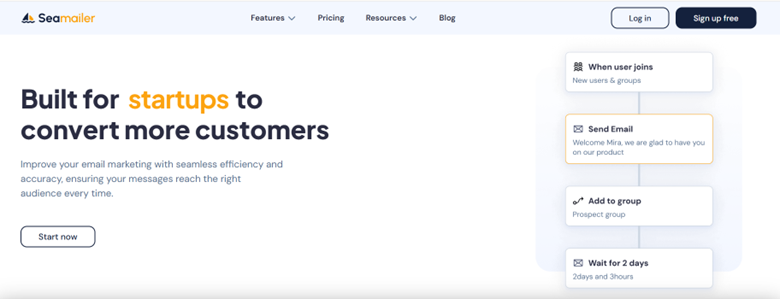
- Strengths: Intuitive UI, reliable deliverability, solid automation basics for cart and browse retargeting.
- Ease of use: Very user-friendly and quick to set up flows.
- Pricing notes: Affordable entry plans; often attractive to startups and SMBs with transparent pricing.
- Pros: Easy onboarding, good for users who want results fast with fewer bells and whistles.
- Cons: Smaller integration ecosystem compared to legacy players.
- Ideal for: Startups, SMBs, solopreneurs who want fast implementation.
5. ConvertKit
- Strengths: Tag-based segmentation, creator-focused automations, and clear workflows for trial-to-paid flows and content upsells.
- Ease of use: Clean and simple, especially for creators.
- Pricing notes: Scales by subscribers; typically friendly for smaller lists but grows with audience size.
- Pros: Great for creators, course sellers, and small SaaS with content-led strategies.
- Cons: Not as e-commerce-first for product recommendation blocks.
- Ideal for: Creators selling courses, digital products, and membership conversions.
Pricing strategy for retargeting (how to think about discounts & incentives)
Price incentives work - but they change the economics. Here’s how to choose:
- Test non-discounted flows first. Many users convert with reminders + social proof alone.
- Offer incentives for higher cart values. A $10 coupon on a $50 cart may be fine; be conservative on low-margin items.
- Use conditional offers. Only present discounts on the final reminder, not the first nudge.
- Track LTV impact. If a discount converts a one-time buyer who never returns, you’ve hurt long-term economics. Compare recovered revenue vs. margin and future retention rates.
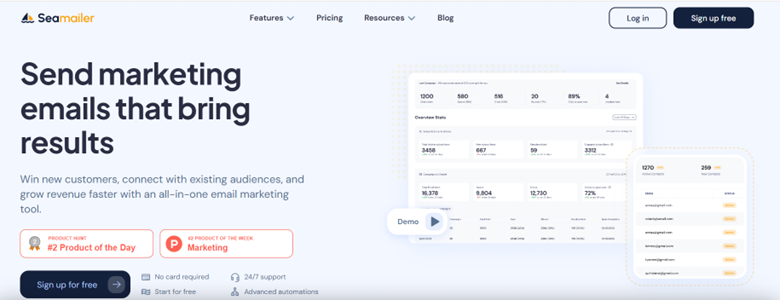
Seamailer offers one of the most affordable email marketing solutions out there — starting free with 12,000 emails monthly and unlimited contacts. Paid plans start at just $ 7 per month, providing you with full features without breaking the bank. It’s powerful, simple, and priced so low it feels like a steal for startups, creators, and small businesses.
Mistakes I’ve seen (and made) with email retargeting
- Sending the wrong message too often. A customer who abandoned because of shipping costs doesn’t need a product-heavy email first - address shipping or costs.
- Too many discounts, too early. You train buyers to wait for coupons.
- Not testing timing. Some audiences respond best within 30 minutes; others need 24 hours.
- Ignoring mobile UX. If your checkout flow is broken on mobile, retargeting clicks won’t convert.
- Poor tracking/attribution. If you don’t measure recovered revenue accurately, you won’t know what’s working.
Privacy, compliance, and respectful retargeting
Retargeting must be respectful and compliant. Always:
- Honor unsubscribe requests immediately.
- Follow GDPR and local privacy laws. Be transparent about tracking and use first-party signals when possible.
- Avoid excessive frequency. A few reminders are fine; daily nags are not.
- Keep data secure and limit sensitive data in emails.
Quick checklist to launch your first retargeting campaign
- Instrument tracking for key events.
- Create dynamic segments for each retargeting trigger.
- Build email templates with images, social proof, and one clear CTA.
- Configure automation flows, timing, and conditional logic.
- Set up analytics to measure recovered revenue and conversion rate.
- Run A/B tests on subject lines, timing, and incentives.
- Iterate and scale what works.
Conclusion
Email retargeting is one of the most efficient ways to turn existing interest into revenue. It leverages behaviors people already took and nudges them back with personalized, timely messaging. If you want higher conversion without necessarily doubling your ad spend, retargeting is where you should start.
Start small: pick one high-intent trigger (like cart abandonment), craft a tight three-email flow, measure recovered revenue, and iterate. Do that well, and you’ll be amazed at how much value you’ve been leaving on the table.